

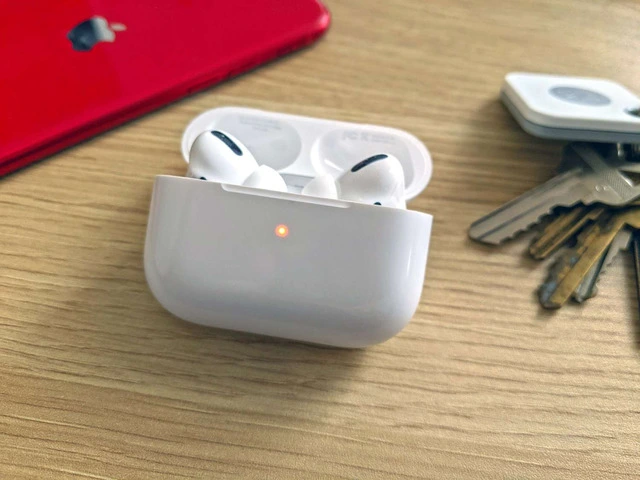
Imagínatelo: Estás listo para salir a correr por la mañana o para ir al trabajo, coges tus AirPods y, de repente, notas esa temida luz naranja.
Así es, tus AirPods parpadean en naranja y te preguntas qué está pasando.
¡No temas!
En Music Critic estamos aquí para ayudarte a entender el significado de esa luz naranja parpadeante y mostrarte cómo solucionarlo.
¿Por qué mis AirPods parpadean en naranja?
La luz naranja parpadeante que ves en el estuche de los AirPods es básicamente una señal de socorro.
La luz indicadora sugiere que hay un problema con el estuche de carga o con los propios AirPods.
Hay varios factores que pueden hacer que la luz ámbar parpadee, como un problema de conectividad, problemas de carga o incluso residuos que bloqueen los contactos de carga.
Pero, ¡no te preocupes!
Analizaremos las posibles soluciones para que tus AirPods vuelvan a la normalidad en un abrir y cerrar de ojos.
Cómo solucionar el parpadeo naranja de los Airpods: Soluciones
Desde reiniciar tus AirPods hasta otras soluciones más técnicas, te lo contamos todo.
Solución 1: Reinicia y vuelve a conectar los AirPods
A veces, la luz naranja parpadeante puede deberse a un problema de conectividad entre tus AirPods y el dispositivo con el que están emparejados.
Reiniciar los AirPods puede ser la solución que necesitas.
Asegúrate de hacer clic en "Olvidar este dispositivo" en los ajustes de Bluetooth antes de empezar.
A continuación te explicamos cómo hacerlo:
- Coloca ambos AirPods en su estuche de carga y cierra la tapa.
Espera 30 segundos. - Abre la tapa, asegurándote de que la luz intermitente sea visible.
- Mantén pulsado el botón de la parte posterior del estuche de carga hasta que la luz LED parpadee en naranja/ámbar y, a continuación, sigue pulsando hasta que empiece a parpadear en blanco.
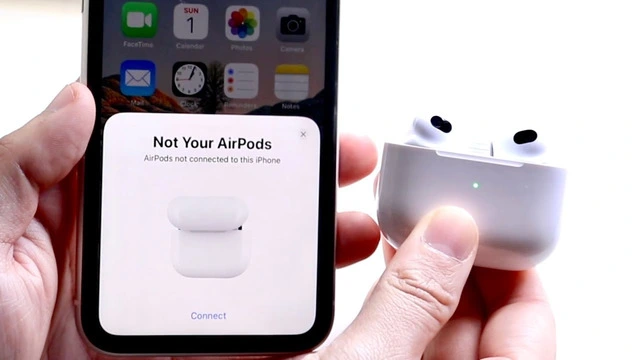
- Con la tapa abierta, coloca la funda junto a tu iPhone o iPad.
- Aparecerá una ventana emergente en tu dispositivo pidiéndote que te conectes.
Pulsa "Conectar" y sigue las instrucciones.
Si la solución anterior no funciona y la luz parpadeante persiste, pasa a la siguiente solución.
También puedes probar a apagar el iPhone con el botón de encendido.
Solution 2: Recharge the AirPods and the Case
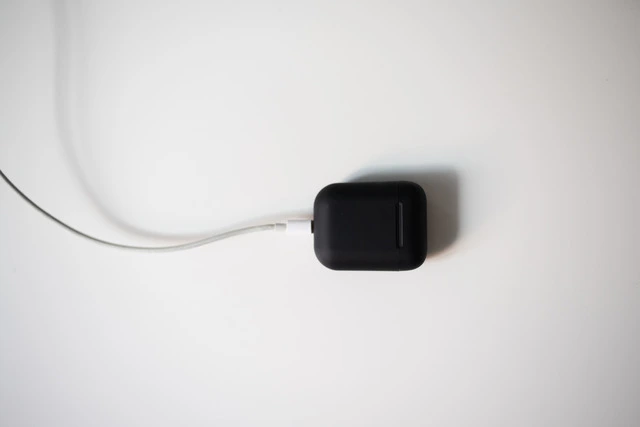
An orange light might indicate that either your AirPods or their charging case needs a recharge. So, ensure both the AirPods and the case have sufficient battery life. If you're unsure how long it takes for the case to charge, check out this article for more information.
Solución 3: Limpia los AirPods y el estuche
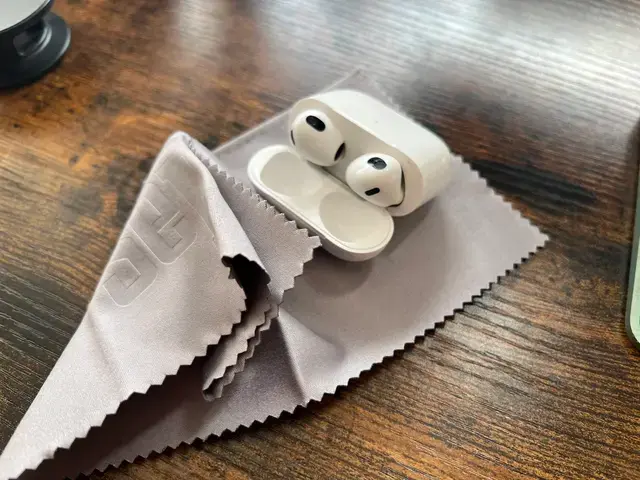
Los residuos o la suciedad en tus AirPods o en su estuche de carga pueden obstruir los contactos de carga y provocar el parpadeo de la luz.
Inspecciona cuidadosamente tus AirPods y su estuche de carga, y límpialos con un paño suave y sin pelusa.
Limpia los contactos de carga con cuidado para no dañarlos.
Solución 4: Actualiza la versión del firmware de los AirPods
¿Los Airpods parpadean en naranja?
La causa puede ser un firmware obsoleto.
Para actualizar la versión actual del firmware de tus AirPods, conéctalos a tu iPhone o iPad y asegúrate de que ambos dispositivos están conectados a una red Wi-Fi.
La actualización del firmware se producirá automáticamente en segundo plano.
Asegúrate de reiniciar el iPhone cuando haya terminado.
Solución 5: Busca ayuda en Apple
Si has probado todas las soluciones anteriores y la luz sigue parpadeando en naranja, es hora de pedir ayuda a Apple.
Visita el sitio web de soporte de Apple o lleva tus AirPods a una Apple Store o a un centro de servicio autorizado para obtener más ayuda.
Ellos diagnosticarán el problema y, si es necesario, organizarán una reparación o sustitución.
¿Y si veo otros colores?
Es posible que encuentres otros colores en la luz LED de tu estuche de los AirPods.
Aquí tienes un breve resumen de lo que significan:
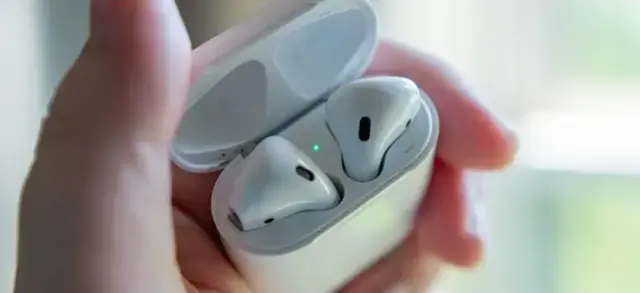
- Luz verde fija: Si tienes una luz verde fija, indica que los AirPods están completamente cargados y listos para su uso.
- Luz verde parpadeante: Significa que tus AirPods se están cargando.
- Luz naranja fija: Si estás cargando los AirPods y ves una luz naranja fija en el estuche, significa que los AirPods aún no están totalmente cargados, sino que están en proceso de carga.
- Luz ámbar: Una luz ámbar/naranja revela el estado de la batería.
Si tu estuche está cerrado, un color ámbar fijo significa que le queda menos de una carga completa.
Si el estuche está abierto y la luz de estado parpadea en ámbar, significa que los AirPods necesitan cargarse. - Luz blanca parpadeante: Si tu funda tiene una luz blanca parpadeante, indica que tu dispositivo ha entrado en modo de emparejamiento.
AirPods Flashing Orange: Frequently Asked Questions
In this section, we'll address some common questions that AirPods users may have about LED lights, connectivity, and charging time. Whether you're sick of your airpods flashing orange, or you're facing another issue, we've got you covered.
Why is the orange light on my AirPod case not changing?
If the orange LED on your AirPod case is not changing to a solid green color (which signifies a full charge), there could be several reasons:
- Debris or dirt is blocking the charging contacts on your AirPods or the case. Clean them gently with a soft, lint-free cloth.
- The charging cable or power source may be faulty. Try using a different cable or power source.
- The battery in the case or AirPods might be completely drained. Allow them to charge for a longer period.
- There might be an issue with the wireless charging case or the AirPods themselves. If the problem persists after trying the above solutions, contact Apple support. You may need to reset your airpods or try something else.
Why are my AirPods not connecting?
If your AirPods are not connecting to your Apple device, try the following steps for a quick fix:
- Make sure your device's Bluetooth is turned on and within range of the AirPods.
- Close any unused apps on your device that might interfere with Bluetooth connectivity.
- Reset your AirPods.
- Restart your paired device (iPhone, iPad, or other devices) and try connecting again.
- If the issue persists, reset your device's custom settings by going to Settings > General > Reset > Reset Network Settings. Keep in mind that this will erase all your Wi-Fi and Bluetooth settings, so you'll need to reconnect your devices afterward.
If none of these steps work, consider reaching out to Apple support for further assistance.
How long do AirPods take to charge from dead?
AirPods generally take about twenty minutes to charge up to 3 hours of listening time or about 2 hours of talk time. If your AirPods are completely dead, it might take about one hour to two hours to fully charge them. The charging case itself can take up to 2 hours to fully charge when connected to a power source.
For more information on AirPods charging times, you can refer to this article.
Remember, it's essential to use a compatible charging cable and power source for optimal charging. Regularly check for debris and dirt on your AirPods and charging case to ensure a proper connection.
Can the flashing orange light indicate a need for a firmware update?
Airpods flashing orange? While a light that's flashing orange typically indicates a charging or connectivity issue, outdated firmware can sometimes cause problems as well. To update your AirPods' firmware, connect them to your iPhone or iPad, and ensure both devices are connected to Wi-Fi. The firmware update will occur automatically in the background.
Keep in mind that the firmware update process might take some time, so be patient and avoid interrupting the process. Once the update is complete, check if the issue has been resolved.
What should I do if my AirPods case LED light is not working at all?
If the LED light on your case is not working at all, it could be due to a hardware issue or a drained battery. First, try charging the case for at least 20 minutes and then check if the LED light starts working. If it still doesn't work, consider contacting Apple support for further diagnosis and assistance.
Can I use third-party chargers for my AirPods and the charging case?
While it's possible to use third-party chargers with your AirPods and charging case, it's always best to use Apple-approved chargers to ensure optimal charging performance and avoid potential damage to your devices.
Using third-party chargers that do not meet Apple's quality standards can lead to charging issues and even damage your AirPods or the case. Look for chargers with the Apple logo.
Wrapping Up
While encountering flashing orange lights on your AirPods case can be frustrating, it's important to remain calm and try the solutions provided above. In most cases, you'll be able to stop your AirPods from flashing orange by following these steps. However, if none of these solutions work, don't hesitate to contact Apple support for further help.
While we're talking about AirPods and earbuds, here are some related articles that you may find interesting:
- Best Earbuds Under $50
- Best True Wireless Earbuds Under $50
- Best Sound Quality Earbuds
- Best Noise-Cancelling Earbuds
These articles will provide you with a wealth of information and recommendations if you're in the market for new earbuds or simply looking to explore other options.
En conclusión, la luz naranja parpadeante en el estuche de tus AirPods puede ser motivo de preocupación, pero con la información proporcionada en este artículo, estarás bien equipado para abordar y resolver el problema.
Recuerda que un cuidado y mantenimiento adecuados de tus AirPods contribuirán en gran medida a evitar problemas como la luz naranja parpadeante y a garantizar que disfrutes de una experiencia de escucha sin interrupciones.
Así que, la próxima vez que veas esa luz naranja parpadeante en el estuche de tus AirPods, puedes afrontar el problema con confianza gracias a los conocimientos que has adquirido en este artículo.
Con un poco de paciencia y persistencia, conseguirás que tus AirPods vuelvan a funcionar en un abrir y cerrar de ojos.
Recuerda que la tecnología no es perfecta y que es normal que surjan problemas ocasionales.
Sin embargo, entender cómo solucionar los problemas más comunes puede ayudarte a ir por delante y disfrutar de una experiencia fluida e ininterrumpida con tus AirPods.
Por último, es fundamental que mantengas tus AirPods limpios y en buen estado para evitar cualquier problema.
Un cuidado adecuado prolongará su vida útil y garantizará que proporcionen la calidad de sonido y el rendimiento que esperas.

Ahora, armado con este conocimiento experto, puedes enfrentarte con confianza a cualquier situación de luz naranja parpadeante y seguir disfrutando al máximo de tus AirPods.
Comparte este artículo con tus amigos y familiares que puedan estar experimentando la misma luz naranja parpadeante en el estuche de sus AirPods.
No sólo les ayudarás a solucionar su problema, sino que también les informarás sobre los distintos colores de las luces LED y lo que significan.
Recuerda, si alguna vez vuelves a encontrarte con luces naranjas, ¡ya lo tienes!